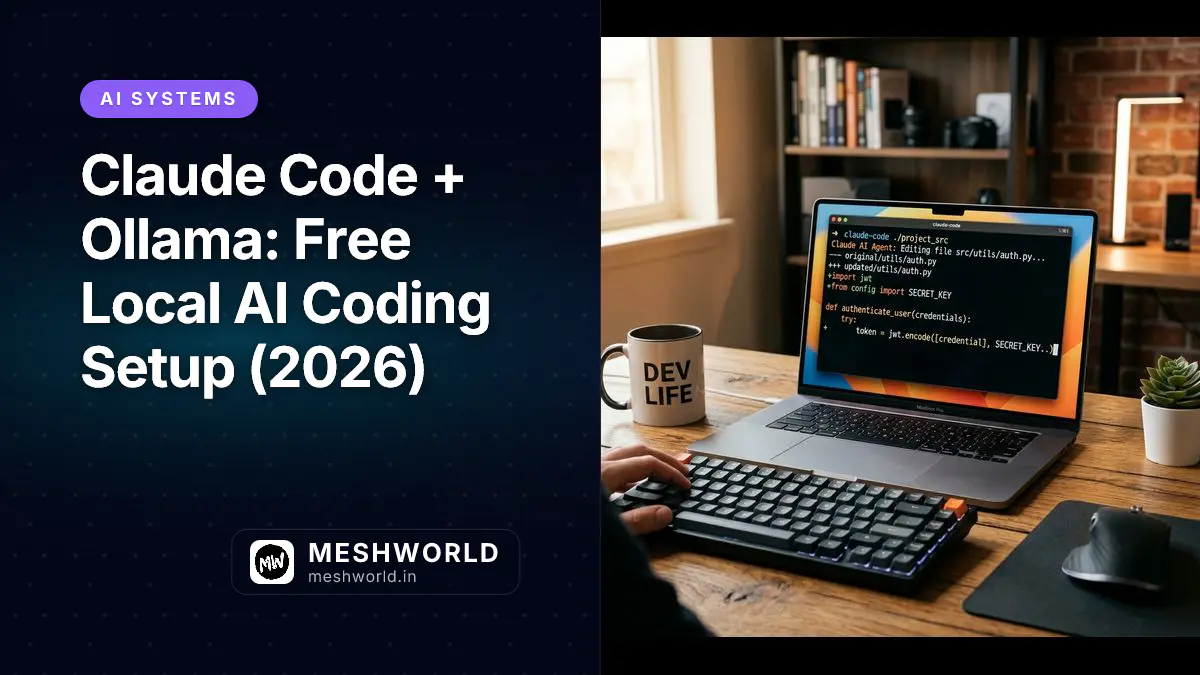
Claude Code connects to either Anthropic’s cloud or a local Ollama model. Swap in Ollama and you get zero API costs, full offline capability, and your code never leaves your machine. This guide walks through the complete setup for 2026 — installation, env vars, model selection, and the gotchas that’ll trip you up if you don’t know them.
- Install Ollama, pull a model, then run
ollama launch claude --model <model>(Ollama v0.14.5+) - Or set env vars manually:
ANTHROPIC_BASE_URL=http://localhost:11434,ANTHROPIC_AUTH_TOKEN=ollama,ANTHROPIC_API_KEY="" - Recommended first model:
glm-4.7-flash(9GB, 128K context, fast) orqwen2.5-coder:7b(4GB, low-VRAM) - Claude Code needs 64K+ context window — create a Modelfile or use
ollama launchto auto-configure - Tool calling, file editing, bash execution all work locally
Prerequisites
Before you start:
- macOS, Linux, or Windows (WSL recommended on Windows)
- 8 GB RAM minimum (16 GB recommended for larger models)
- 20 GB free disk space
- GPU (optional but strongly recommended): Apple Silicon, NVIDIA, or AMD. GPU inference is 5–20x faster than CPU.
Check your GPU if you have one:
nvidia-smi You should see your GPU listed with VRAM and CUDA version. If not, Ollama falls back to CPU — still works, just slower.
How do you install Ollama?
Ollama runs as a background service that manages your models and exposes an HTTP API. Once it’s running, Claude Code talks to it the same way it talks to Anthropic’s servers.
macOS / Windows:
Download the installer from ollama.com. Run it and Ollama starts automatically as a background service.
Linux (single command):
curl -fsSL https://ollama.com/install.sh | sh Verify the install:
ollama --version
# ollama version 0.14.5 or later Ollama v0.14.0 or later is required for Claude Code compatibility. Older versions don’t expose the Anthropic Messages API correctly. If you’re on an older version, upgrade with brew upgrade ollama (macOS) or re-run the install script (Linux).
Which model should you pull for Claude Code?
The model is your AI brain. Claude Code works with any Ollama model, but different models have different strengths.
Fastest setup — recommended for most people:
ollama pull glm-4.7-flash glm-4.7-flash is fast (~25 tokens/second on GPU), has a 128K token context window, and handles tool calling well. At ~9 GB it’s the sweet spot for machines with 16 GB RAM or an 8 GB VRAM GPU.
Best for complex refactoring:
ollama pull qwen2.5-coder:32b qwen2.5-coder:32b is the strongest open coding model. Best results for multi-file refactors and architectural decisions, but needs ~20 GB VRAM. Only on RTX 4090, 3090, or M3 Max+.
Low-VRAM machines (8 GB VRAM or less):
ollama pull qwen2.5-coder:7b ~4 GB download, ~5 GB VRAM needed. Runs on CPU if no GPU available — slow (2–5 tokens/second) but functional.
Model comparison:
| Model | Size | VRAM | Context | Best for |
|---|---|---|---|---|
glm-4.7-flash | ~9 GB | 11 GB | 128K | First-time users, fast tasks |
qwen2.5-coder:7b | ~4 GB | 5 GB | 32K | Low-VRAM, quick tasks |
qwen2.5-coder:32b | ~18 GB | 20 GB | 32K | Complex refactoring, multi-file |
glm-4.7:cloud | — | — | 128K | No GPU? Use hybrid |
Test your model after pulling:
ollama run glm-4.7-flash "Hello, what model are you?" You should get a response in 1–5 seconds. Slow? Check that your GPU is being used (nvidia-smi on NVIDIA, Activity Monitor on macOS) and that nothing else is hogging RAM.
How do you configure Claude Code to use Ollama?
Here are two ways to connect Claude Code to your local model.
Method 1: ollama launch (easiest, Ollama v0.14.5+)
If you have Ollama v0.14.5 or later, the easiest path is:
ollama launch claude --model glm-4.7-flash This automatically sets the environment variables and opens Claude Code in your current directory. Done.
Method 2: Set environment variables manually
If you want to launch Claude Code directly or set up a permanent config, you’ll need three environment variables:
| Variable | Value | Why |
|---|---|---|
ANTHROPIC_BASE_URL | http://localhost:11434 | Points Claude Code to your local Ollama server |
ANTHROPIC_AUTH_TOKEN | ollama | Required — Ollama ignores the value but Claude Code needs it set |
ANTHROPIC_API_KEY | "" (empty string) | Must be explicitly empty — prevents Claude Code from falling back to a real API key |
Temporary (this session only):
# macOS / Linux / WSL
export ANTHROPIC_BASE_URL=http://localhost:11434
export ANTHROPIC_AUTH_TOKEN=ollama
export ANTHROPIC_API_KEY=""
claude Permanent (all projects):
Create or edit ~/.claude/config.json:
{
"env": {
"ANTHROPIC_BASE_URL": "http://localhost:11434",
"ANTHROPIC_AUTH_TOKEN": "ollama",
"ANTHROPIC_API_KEY": ""
},
"model": "glm-4.7-flash"
} Per-project (recommended):
If you only want local models for specific projects, add a .claude/settings.json in that project’s root:
{
"model": "glm-4.7-flash",
"env": {
"ANTHROPIC_BASE_URL": "http://localhost:11434",
"ANTHROPIC_AUTH_TOKEN": "ollama",
"ANTHROPIC_API_KEY": ""
}
} Add it to .gitignore if you don’t want teammates picking up local config:
echo ".claude/settings.json" >> .gitignore How do you fix the context window size?
This is the step most guides skip, and it’s the most common reason Claude Code fails mid-task.
Ollama defaults to a 2K–4K token context window. Claude Code reads entire project files, runs tests, edits multiple files — it needs at least 64K tokens to work without truncation.
Create a Modelfile that enforces a larger context:
mkdir -p ~/.ollama/Modelfiles
cat > ~/.ollama/Modelfiles/claude-code-64k <<'EOF'
FROM glm-4.7-flash
PARAMETER num_ctx 65536
PARAMETER temperature 0.7
EOF Build and use it:
ollama create claude-code-64k -f ~/.ollama/Modelfiles/claude-code-64k
# Now launch with this model variant:
ollama launch claude --model claude-code-64k Verify it’s working:
ollama list
# Should show: claude-code-64k ... 9 GB
claude --model claude-code-64k The scenario: You ask Claude Code to refactor a 500-line module. With the default 4K context, it sees the first few files, loses track of the rest, and starts hallucinating variable names that don’t exist. With 64K context, it holds the entire module in memory and gives you accurate edits. The difference between a useful session and a frustrating one.
How do you launch Claude Code with your local model?
You have options:
Automatic (easiest):
ollama launch claude --model glm-4.7-flash Ollama sets everything and opens Claude Code in your current directory.
Manual with env vars:
export ANTHROPIC_BASE_URL=http://localhost:11434
export ANTHROPIC_AUTH_TOKEN=ollama
export ANTHROPIC_API_KEY=""
claude One-shot (no REPL):
claude -p "Explain this function" < src/utils/auth.ts On first launch, Claude Code asks permission to access files in the current directory. Type yes to proceed.
How do you configure Claude Code for maximum privacy?
By default, Claude Code sends telemetry. To keep your setup fully offline and private, disable non-essential traffic:
In ~/.claude/config.json or .claude/settings.json:
{
"model": "glm-4.7-flash",
"env": {
"ANTHROPIC_BASE_URL": "http://localhost:11434",
"ANTHROPIC_AUTH_TOKEN": "ollama",
"ANTHROPIC_API_KEY": "",
"CLAUDE_CODE_DISABLE_NONESSENTIAL_TRAFFIC": "1"
}
} This ensures all inference runs locally and no usage data leaves your machine.
What works and what doesn’t with Ollama + Claude Code?
Ollama’s Anthropic compatibility layer handles most of what Claude Code needs, but not everything. As of 2026:
Works:
- Multi-turn conversation (Messages API)
- Streaming responses
- System prompts
- Tool calling — file reads, file edits, bash execution
- Temperature, top_p, stop sequences
- Vision (base64 images)
Doesn’t work:
tool_choice(forced tool selection) — Claude Code falls back to auto when needed- Prompt caching — no speed benefit from repeated identical prompts
- URL-referenced images — only base64 works
In practice: file editing, bash execution, test generation, code review, refactoring — all work correctly. The missing tool_choice means Claude Code occasionally picks the wrong tool on first try, then self-corrects. Not a blocker.
How do you run multiple models?
Switch models to compare outputs on the same task:
# Task with fast model
ollama launch claude --model glm-4.7-flash
# (run your task, observe)
# Same task with reasoning model
ollama launch claude --model qwen2.5-coder:32b
# (compare results) Or build model variants with different settings:
cat > ~/.ollama/Modelfiles/coder-lowtemp <<'EOF'
FROM qwen2.5-coder:7b
PARAMETER num_ctx 65536
PARAMETER temperature 0.3
EOF
ollama create coder-lowtemp -f ~/.ollama/Modelfiles/coder-lowtemp
ollama launch claude --model coder-lowtemp Lower temperature gives more deterministic output — better for code generation, worse for creative exploration.
How do you troubleshoot connection errors?
“Command not found: ollama”
Ollama isn’t in your PATH. Restart your terminal. If that doesn’t work, find the installation and add it to your PATH:
which ollama # should return a path
# On macOS, Ollama installs to /usr/local/bin
# If missing, reinstall from ollama.com Claude Code says it can’t access models
Check your environment variables:
echo $ANTHROPIC_BASE_URL
# Should print: http://localhost:11434
echo $ANTHROPIC_AUTH_TOKEN
# Should print: ollama If empty, re-export the variables:
export ANTHROPIC_BASE_URL=http://localhost:11434
export ANTHROPIC_AUTH_TOKEN=ollama
export ANTHROPIC_API_KEY="" Model is slow or hangs
- Check if the model finished downloading:
ollama list If it shows “downloading” instead of a size, wait for it to complete.
- Verify GPU is being used:
ollama ps Look for the model name — if it’s using CPU instead of GPU, check your drivers.
- Use a smaller model:
ollama pull qwen2.5-coder:7b
ollama launch claude --model qwen2.5-coder:7b Out of memory errors
Your model is too large for your hardware. Switch to a smaller model or use a quantized variant:
# Pull a quantized version
ollama pull glm-4.7-flash:q4_K_M
# Or use a smaller model entirely
ollama pull qwen2.5-coder:7b Port 11434 already in use
Something else is using Ollama’s port. Change Ollama’s port:
OLLAMA_HOST=localhost:11435 ollama serve Then update your config to use :11435.
ANTHROPIC_API_KEY error
If Claude Code still tries to authenticate after setting env vars, make sure ANTHROPIC_API_KEY is explicitly set to an empty string — not omitted:
export ANTHROPIC_API_KEY="" In config.json, this must be "ANTHROPIC_API_KEY": "" (empty string), not missing entirely.
What are the real costs and savings?
Cloud API costs add up fast:
- Anthropic Claude API: ~$3 per 1M input tokens
- OpenAI GPT-4: ~$30 per 1M input tokens
- Local Ollama: $0 (hardware only, one-time)
For a developer using Claude Code 8 hours a day:
Cloud (Anthropic): ~$100/month
Local (Ollama): $0/month (after hardware purchase)
Savings: 100% The hardware costs more upfront, but if you’re using Claude Code heavily, it pays for itself within a few months. And you get offline capability, full data privacy, and the ability to work on planes, in cafes, or air-gapped environments.
Summary
- Install Ollama, pull a model (
glm-4.7-flashis the best starting point) - Launch with
ollama launch claude --model <model>(Ollama v0.14.5+) or set env vars manually - Three env vars:
ANTHROPIC_BASE_URL=http://localhost:11434,ANTHROPIC_AUTH_TOKEN=ollama,ANTHROPIC_API_KEY="" - Always set context to 64K+ via Modelfile — default is too small for Claude Code
glm-4.7-flashfor speed,qwen2.5-coder:32bfor quality,qwen2.5-coder:7bfor low-VRAM- Tool calling, file editing, bash execution all work;
tool_choiceand prompt caching don’t - Scope config to
.claude/settings.jsonper-project, add to.gitignoreif needed
Frequently Asked Questions
Is this actually private?
Yes. With all three env vars set and telemetry disabled, all inference runs on your local machine. No data is sent to Anthropic, OpenAI, or anyone else. Your code never leaves your machine.
Which model is best for coding?
For most coding tasks on a machine with 16 GB RAM or an 8 GB GPU: glm-4.7-flash. Fast, 128K context, handles tool calling well.
If you have a 24 GB+ GPU and want better reasoning on complex refactors: qwen2.5-coder:32b.
For low-VRAM machines (8 GB or less): qwen2.5-coder:7b.
Does this work on Apple Silicon?
Yes. Ollama uses Metal automatically on M1/M2/M3/M4 — no configuration needed. The glm-4.7-flash model runs at ~25 tokens/second on M2 Pro (16GB). M3 Max (36GB+) handles larger models comfortably.
Can I switch back to Claude API for a specific task?
Yes. Use env vars to override for one session:
ANTHROPIC_BASE_URL=""
ANTHROPIC_API_KEY="sk-ant-..."
claude --model claude-sonnet-4-6 Or use the /model slash command mid-session — just note that /model changes the model name, not the base URL. Clear ANTHROPIC_BASE_URL first if you want to switch to cloud.
What’s the difference between this and the Gemma 4 guide?
The Gemma 4 + Claude Code guide covers Google models specifically. This guide covers all Ollama models and focuses on the setup process (env vars, Modelfiles, troubleshooting) rather than a specific model family. The mechanics are the same regardless of which model you choose.
What to Read Next
- How to Use Gemma 4 with Claude Code via Ollama — Google models, specific model tags, and what works vs what doesn’t
- How to Install Ollama and Run LLMs Locally — deeper Ollama setup, model options, API usage
- Claude Code CLI Cheat Sheet — slash commands, flags, and REPL tricks
- Qwen Coder Cheat Sheet — the top coding-focused model available through Ollama
Related Articles
Deepen your understanding with these curated continuations.
How to Use Gemma 4 with Claude Code via Ollama (April 2026)
Set up Gemma 4 locally with Ollama and wire it into Claude Code. Learn correct env vars, model tags, and context window config for April 2026.
How to Install Gemma 4 Locally with Ollama (2026 Guide)
Run Google's Gemma 4 locally with Ollama. Complete setup for 4B, 12B, and 27B models — installation, hardware requirements, API usage, and IDE integration.
How to Install Ollama and Run LLMs Locally
Ollama lets you run large language models on your own machine. Learn how to install it, download models, and run them locally without any API keys.