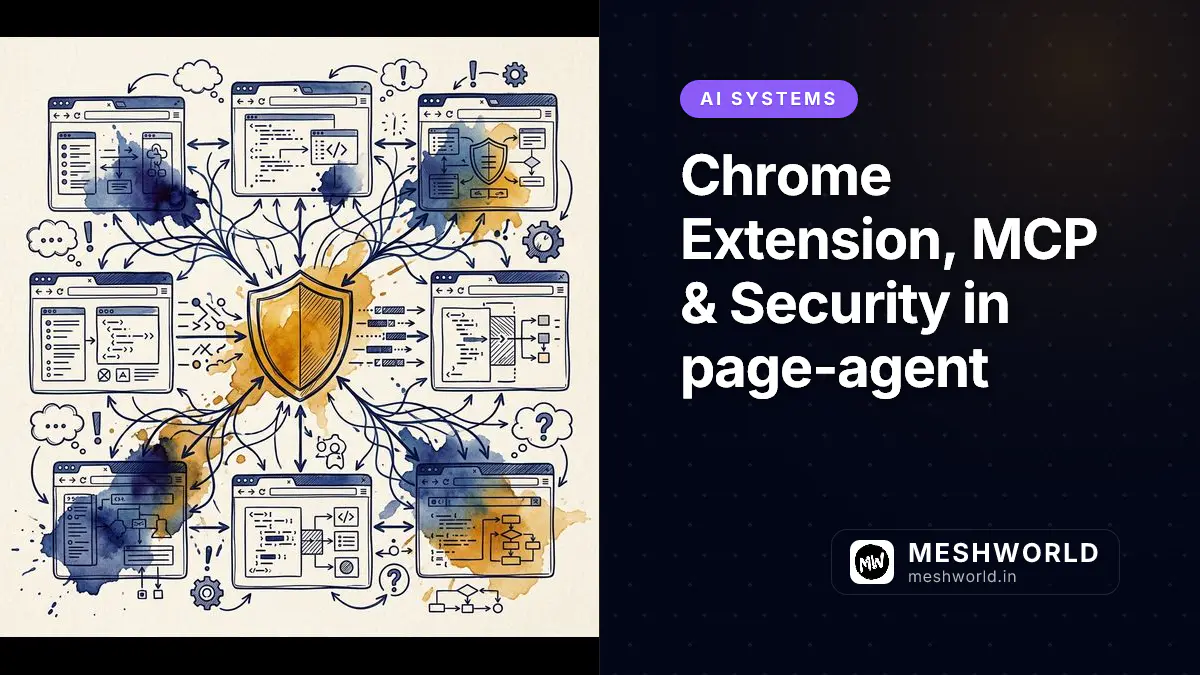
Deploying Alibaba’s page-agent inside a Manifest V3 Chrome Extension lifts client-side browser automation from a single-tab embedded script to a powerful, multi-tab automation assistant. But running AI agents with full browser DOM permissions brings serious security, privacy, and compliance responsibilities.
As covered in our network traffic auditing guide, monitoring and controlling client-side data flows is essential when injecting script modules across third-party web domains and sensitive enterprise dashboards.
Extension Architecture: How Do You Run page-agent in a Chrome Extension?
You run page-agent in a Chrome Extension by bundling the library into background service workers and content scripts, using chrome.tabs messaging to coordinate automation commands across active browser windows.
flowchart TD
    subgraph "Chrome Extension Environment (Manifest V3)"
        PopupUI[Popup UI / Side Panel] -->|1. User Prompt| ServiceWorker[Background Service Worker]
        ServiceWorker -->|2. Inject Script / Message| TabA[Tab A: Content Script + page-agent]
        TabA -->|3. Extract State & Execute| TabA
        TabA -->|4. Cross-Tab Message| ServiceWorker
        ServiceWorker -->|5. Relay Command| TabB[Tab B: Payment Portal / Target Tab]
    end

    subgraph "External Integrations"
        ServiceWorker -->|SSE / WebSockets| MCPServer[Local MCP Server - Desktop Filesystem]
        ServiceWorker -->|Sanitized HTTP POST| LLMProxy[Backend Proxy Endpoint]
    end
Manifest V3 Setup: How Do You Configure manifest.json for In-Page Injection?
You configure manifest.json for in-page injection by defining background service workers, content script matches, and requesting activeTab, scripting, and storage permissions.
Create a manifest.json file structured for Manifest V3 extension security standards:
{
  "manifest_version": 3,
  "name": "Page-Agent Multi-Tab Copilot",
  "version": "1.0.0",
  "description": "AI-powered in-page browser automation and multi-tab workflow engine.",
  "permissions": ["activeTab", "scripting", "storage", "tabs"],
  "host_permissions": ["https://*/*"],
  "background": {
    "service_worker": "background.js",
    "type": "module"
  },
  "action": {
    "default_popup": "popup.html"
  }
}
Multi-Tab Automation: How Do You Pass State Between Active Browser Tabs?
You pass state between active browser tabs by routing messages through the extension background service worker using chrome.runtime.sendMessage and chrome.tabs.sendMessage APIs.
In background.js, listen for navigation events and orchestrate multi-tab commands:
// background.js: Extension Message Router
chrome.runtime.onMessage.addListener((request, sender, sendResponse) => {
  if (request.type === "EXECUTE_CROSS_TAB_WORKFLOW") {
    const { sourceTabId, targetUrl, taskPrompt } = request.payload;

    // Create target tab and inject page-agent runner
    chrome.tabs.create({ url: targetUrl }, (newTab) => {
      chrome.tabs.onUpdated.addListener(function listener(tabId, info) {
        if (tabId === newTab.id && info.status === "complete") {
          chrome.tabs.onUpdated.removeListener(listener);
          chrome.tabs.sendMessage(newTab.id, {
            type: "START_PAGE_AGENT",
            prompt: taskPrompt,
          });
        }
      });
    });
    sendResponse({ status: "ORCHESTRATING" });
  }
  return true;
});
PII Scrubbing: How Do You Redact Sensitive Data Before Sending Payloads?
You redact sensitive data before sending payloads by passing dehydrated DOM text strings through a client-side regex scrubber that replaces credit card numbers, email addresses, SSNs, and authentication tokens with anonymized placeholder tokens.
Before dispatching dehydrated BrowserState text to any LLM endpoint, run client-side sanitization middleware:
// PIIScrubber.ts: Client-Side Regex Data Masking Engine
export class PIIScrubber {
  private static regexPatterns = {
    creditCard:
      /\b(?:4[0-9]{12}(?:[0-9]{3})?|5[1-5][0-9]{14}|3[47][0-9]{13})\b/g,
    ssn: /\b\d{3}-\d{2}-\d{4}\b/g,
    email: /\b[A-Za-z0-9._%+-]+@[A-Za-z0-9.-]+\.[A-Za-z]{2,}\b/g,
    bearerToken: /Bearer\s+[A-Za-z0-9\-\._~\+\/]+=*/gi,
  };

  public static scrubPayload(rawText: string): string {
    let sanitized = rawText;
    sanitized = sanitized.replace(
      this.regexPatterns.creditCard,
      "[REDACTED_CREDIT_CARD]",
    );
    sanitized = sanitized.replace(this.regexPatterns.ssn, "[REDACTED_SSN]");
    sanitized = sanitized.replace(this.regexPatterns.email, "[REDACTED_EMAIL]");
    sanitized = sanitized.replace(
      this.regexPatterns.bearerToken,
      "Bearer [REDACTED_TOKEN]",
    );
    return sanitized;
  }
}MCP Integration: How Do You Connect page-agent to Local Desktop Tools?
You connect page-agent to local desktop tools by establishing a Server-Sent Events (SSE) or WebSocket connection from the background service worker to a Model Context Protocol (MCP) server.
The Model Context Protocol (MCP) allows page-agent to interact with local desktop applications, local databases, and filesystem tools. Connecting over WebSockets or SSE grants the agent desktop capabilities:
// MCP Bridge in Background Service Worker
import { Client } from "@modelcontextprotocol/sdk/client/index.js";
import { SSEClientTransport } from "@modelcontextprotocol/sdk/client/sse.js";

const transport = new SSEClientTransport(new URL("http://localhost:3001/sse"));
const mcpClient = new Client({
  name: "page-agent-extension",
  version: "1.0.0",
});

export async function connectToLocalMCP() {
  await mcpClient.connect(transport);
  const tools = await mcpClient.listTools();
  console.log("Available Local Desktop MCP Tools:", tools);
}
Allowlists & Safety: How Do You Implement Human-in-the-Loop Confirmation?
You implement Human-in-the-Loop confirmation by defining an action allowlist and showing an inline modal dialog requiring explicit user approval before executing high-risk DOM actions like submit clicks or financial transfers.
Prevent unintended actions on critical banking or administrative portals by enforcing domain allowlists and explicit confirmation dialogs:
// HITL Confirmation Gate Implementation
const RESTRICTED_ACTIONS = ["SUBMIT_ORDER", "DELETE_USER", "TRANSFER_FUNDS"];

export async function confirmActionWithUser(
  actionType: string,
  targetElement: string,
): Promise<boolean> {
  if (!RESTRICTED_ACTIONS.includes(actionType)) {
    return true; // Auto-approve low-risk navigation
  }

  // Display chrome extension notification dialog
  const userApproved = await new Promise<boolean>((resolve) => {
    chrome.runtime.sendMessage(
      {
        type: "SHOW_HITL_MODAL",
        details: { actionType, targetElement },
      },
      (response) => resolve(response?.approved ?? false),
    );
  });

  return userApproved;
}
Security Verification & Enterprise Compliance Standards
When submitting Manifest V3 extensions containing AI agent capabilities to the Chrome Web Store or internal enterprise deployment catalogs, verify compliance against these core security rules:
- Content Security Policy (CSP): Ensure
script-src 'self'is maintained and zero remote scripts are dynamically evaluated usingeval(). - Narrow Permission Scopes: Request
activeTabinstead of broad<all_urls>whenever single-tab interactions suffice. - Data Egress Auditing: Log all sanitized outgoing payloads to extension storage for compliance inspection and auditing.
Frequently Asked Questions
Can Chrome Extensions inspect cross-origin iframes with page-agent?
Yes, if your extension declares explicit host permissions in manifest.json, content scripts can be injected into iframe frames using "all_frames": true.
Does PII scrubbing degrade LLM instruction accuracy?
No. Replacing sensitive values with structured tokens like [REDACTED_EMAIL] preserves the structural syntax required for the model to issue correct form-filling commands.
Can page-agent run in Firefox or Edge extensions?
Yes. page-agent relies on standard Web APIs and Cross-Browser WebExtension APIs, making it compatible with Firefox, Edge, and Brave browsers.