Cursor’s AI is smart until it hallucinates your database schema. MCP (Model Context Protocol) fixes that — it’s an open standard (Anthropic’s “USB-C for AI”) that lets Cursor read live data from your filesystem, Postgres, GitHub, or custom internal APIs instead of guessing.
Without MCP, you’re copy-pasting schema dumps into chat. With MCP, you ask “how many users signed up this week?” and Cursor runs the query. We benchmarked Cursor vs Claude Code in our 2026 comparison — MCP tooling was the difference between useful and frustrating on real codebases.
How MCP Works in Cursor
sequenceDiagram
    autonumber
    actor Dev as Software Engineer
    participant Cursor as Cursor IDE (MCP Client)
    participant Config as .cursor/mcp.json
    participant Stdio as OS stdio Pipe (stdin/stdout)
    participant Server as Custom MCP Server
    participant DB as SQLite / Postgres Database

    Dev->>Config: Define mcpServers JSON configuration
    Cursor->>Config: Read .cursor/mcp.json on project load
    Cursor->>Stdio: Spawn child process (e.g. node server.js)
    Cursor->>Server: Send JSON-RPC initialize request
    Server-->>Cursor: Return list of available Tools, Resources & Prompts
    Dev->>Cursor: Prompt: "Query user table schema and record count"
    Cursor->>Server: Send tools/call request (name: "query_db")
    Server->>DB: Execute SQL SELECT query
    DB-->>Server: Return query record set
    Server-->>Cursor: Send JSON-RPC tools/call response (content payload)
    Cursor-->>Dev: Synthesize answer with live database context
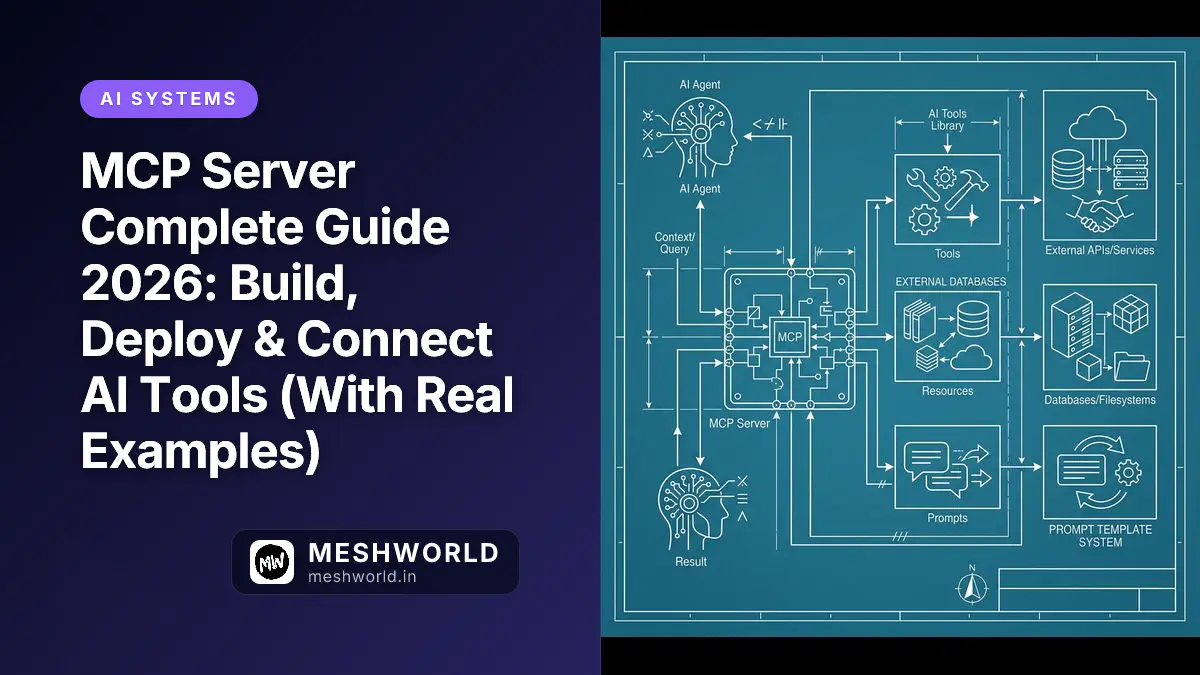
MCP servers expose three things to Cursor:
- Tools — functions Cursor can call (run a SQL query, create a Jira ticket, git status)
- Resources — read-only data sources (log files, schema files, API docs)
- Prompts — pre-built prompt templates you invoke from chat
Most setups only need Tools. Resources and Prompts are nice when you have them.
Configure Existing MCP Servers
Two scope levels:
| Scope | File | Use for |
|---|---|---|
| Project | .cursor/mcp.json | Team-shared via Git — project DB, internal APIs |
| Global | ~/.cursor/mcp.json | Personal tools across all projects — filesystem, GitHub, memory |
Create the config file
# Project-level (recommended first):
mkdir -p .cursor && touch .cursor/mcp.json

# Global (macOS/Linux):
mkdir -p ~/.cursor && touch ~/.cursor/mcp.json
A working four-server config
Paste this into .cursor/mcp.json:
{
  "mcpServers": {
    "filesystem": {
      "type": "stdio",
      "command": "npx",
      "args": [
        "-y",
        "@modelcontextprotocol/server-filesystem",
        "${workspaceFolder}"
      ]
    },
    "postgres": {
      "type": "stdio",
      "command": "npx",
      "args": [
        "-y",
        "@modelcontextprotocol/server-postgres",
        "${env:DATABASE_URL}"
      ],
      "envFile": "${workspaceFolder}/.env"
    },
    "github": {
      "type": "stdio",
      "command": "npx",
      "args": [
        "-y",
        "@modelcontextprotocol/server-github"
      ],
      "env": {
        "GITHUB_PERSONAL_ACCESS_TOKEN": "${env:GITHUB_TOKEN}"
      }
    },
    "memory": {
      "type": "stdio",
      "command": "npx",
      "args": [
        "-y",
        "@modelcontextprotocol/server-memory"
      ]
    }
  }
}
Config field reference
| Field | Required | What it does |
|---|---|---|
type | Yes | Transport type — use "stdio" for local processes |
command | Yes | Binary to spawn: node, npx, python3, uvx |
args | No | Command-line arguments passed to the binary |
env | No | Environment variables injected into the process |
envFile | No | Path to .env file for secrets |
Cursor resolves these tokens automatically:
${workspaceFolder}→ absolute path to your open project root${userHome}→ your home directory${env:VARIABLE_NAME}→ OS environment variable
Save the file, reload Cursor (Cmd/Ctrl + Shift + P → Developer: Reload Window). Check Settings → MCP — servers should show green if the handshake succeeded.
Build a Custom MCP Server in TypeScript
Pre-built servers don’t cover internal APIs. When you need something custom, build with @modelcontextprotocol/sdk.
Initialize the project
mkdir my-custom-mcp-server && cd my-custom-mcp-server
npm init -y
npm install @modelcontextprotocol/sdk zod
npm install -D typescript @types/node tsx
npx tsc --init
Write server.ts
import { Server } from "@modelcontextprotocol/sdk/server/index.js";
import { StdioServerTransport } from "@modelcontextprotocol/sdk/server/stdio.js";
import { CallToolRequestSchema, ListToolsRequestSchema } from "@modelcontextprotocol/sdk/types.js";
import { z } from "zod";

const server = new Server(
  {
    name: "my-custom-mcp-server",
    version: "1.0.0",
  },
  {
    capabilities: {
      tools: {},
    },
  }
);

const SystemStatusInputSchema = z.object({
  serviceName: z.string().describe("Name of the microservice to inspect"),
});

server.setRequestHandler(ListToolsRequestSchema, async () => {
  return {
    tools: [
      {
        name: "get_service_status",
        description: "Returns operational health and latency metrics for a named internal microservice",
        inputSchema: {
          type: "object",
          properties: {
            serviceName: {
              type: "string",
              description: "Name of the microservice (e.g. auth-service, billing-api)",
            },
          },
          required: ["serviceName"],
        },
      },
    ],
  };
});

server.setRequestHandler(CallToolRequestSchema, async (request) => {
  if (request.params.name === "get_service_status") {
    const { serviceName } = SystemStatusInputSchema.parse(request.params.arguments);

    const statusData = {
      service: serviceName,
      status: "healthy",
      latencyMs: 42,
      uptimePercentage: 99.98,
      timestamp: new Date().toISOString(),
    };

    return {
      content: [
        {
          type: "text",
          text: JSON.stringify(statusData, null, 2),
        },
      ],
    };
  }

  throw new Error(`Tool not found: ${request.params.name}`);
});

async function main() {
  const transport = new StdioServerTransport();
  await server.connect(transport);
  // Never use console.log() — stdout is reserved for JSON-RPC!
  console.error("Custom MCP Server listening over stdio...");
}

main().catch((err) => {
  console.error("Fatal server error:", err);
  process.exit(1);
});
Register it in Cursor
{
  "mcpServers": {
    "my-custom-tool": {
      "type": "stdio",
      "command": "npx",
      "args": ["tsx", "${workspaceFolder}/my-custom-mcp-server/server.ts"]
    }
  }
}
Reload Cursor. Ask Composer: “Check status of auth-service” — it should call get_service_status and return the JSON payload.
The stdout rule is non-negotiable: console.log() corrupts JSON-RPC framing and breaks the connection. Debug with console.error() only.
Debugging When Things Break
| Symptom | Likely cause | Fix |
|---|---|---|
| Server shows red / disconnected | command not in GUI PATH | Use full path: /home/user/.nvm/versions/node/v24.0.0/bin/npx |
| JSON-RPC parse error | console.log() in server code | Remove all stdout logging; use console.error() |
| Env var missing | ${env:VAR} not set in desktop environment | Use "envFile": "${workspaceFolder}/.env" or hardcode in "env" block |
| Tool timeout | Slow query exceeded stdio timeout | Optimize the query or stream chunked responses |
View MCP logs: Output Panel (Cmd/Ctrl + Shift + U) → dropdown → MCP. Full JSON-RPC handshake frames and stack traces live here.
Test before connecting to Cursor: Run npx @modelcontextprotocol/inspector node server.js — opens a browser dashboard at http://localhost:5173 where you can manually invoke tools and inspect schemas.
FAQ
Where does Cursor store MCP settings?
Global: ~/.cursor/mcp.json (e.g. /home/username/.cursor/mcp.json on Linux). Project-level: .cursor/mcp.json in your workspace root. Project config overrides global for that repo.
Server won’t connect — first thing to check?
Run the command + args manually in your terminal. If npx @modelcontextprotocol/server-postgres $DATABASE_URL fails in bash, it’ll fail in Cursor too. Fix the terminal error first, then reload.
Can I use remote MCP servers over HTTP?
Yes. Set "type": "sse" with a "url" endpoint (e.g. "url": "https://mcp.internal.company.com/sse"). stdio is standard for local processes; SSE is for remote team-shared servers.
Why is stdout off-limits in stdio servers?
stdin carries incoming JSON-RPC requests. stdout carries outgoing responses. Any console.log() writes plain text to stdout and corrupts the protocol framing. Always log to stderr.
What to Read Next
- DeepSeek R1 Local Setup (Ollama vs vLLM) — run local models Cursor can call via MCP
- Top 10 Self-Hosted DevOps Tools — self-host the infrastructure your MCP servers query
- Cursor vs Claude Code 2026 — how MCP tooling affects the comparison