The E2B and E4B variants of Gemma 4 aren’t just smaller versions of the big models. They’re engineered specifically for edge deployment — phones, Raspberry Pi, Jetson Nano, and IoT devices. With native vision and audio support, plus a 128K context window, you can build AI applications that run completely offline with near-zero latency.
Why Edge AI Matters
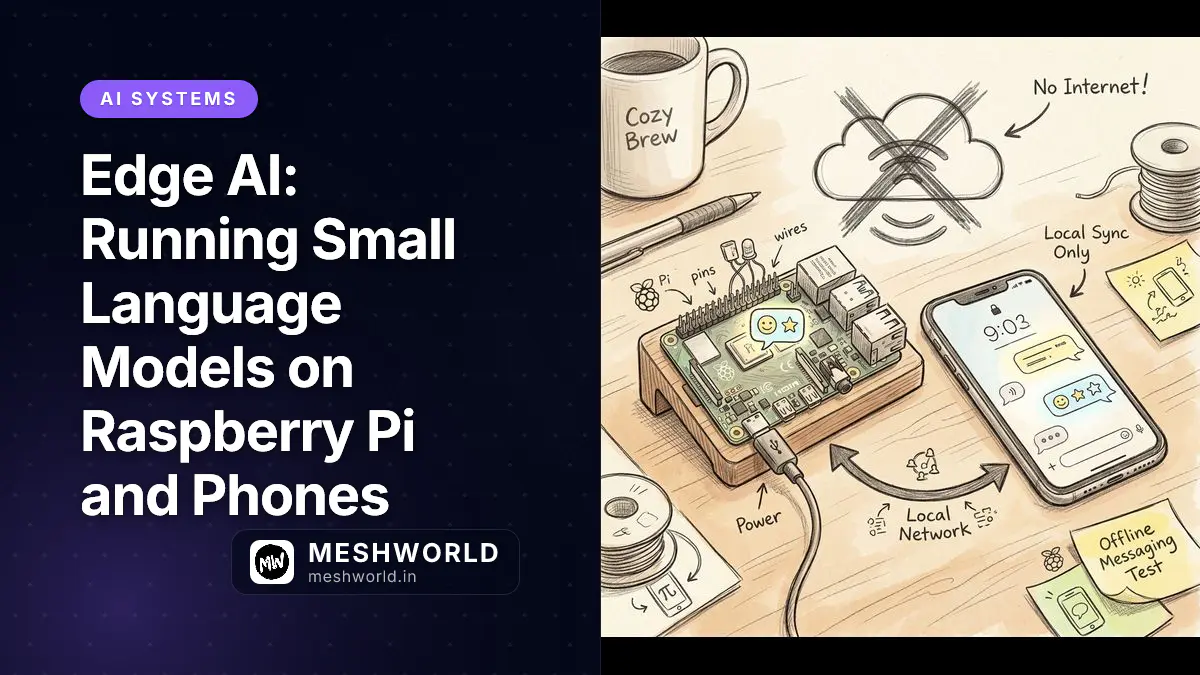
Cloud AI requires internet, has latency, and sends your data somewhere else. Edge AI keeps everything local:
- Privacy: Camera feeds, voice recordings, sensitive documents never leave the device
- Latency: Sub-100ms response times vs. 500ms+ for cloud round-trips
- Offline: Works in basements, remote locations, or during network outages
- Cost: No API calls, no usage limits, no subscription fees
The Scenario: You’re building a security camera system for a rural farm. No reliable internet. With Gemma 4 E2B on a Raspberry Pi 5, the system detects intruders, reads license plates via OCR, and sends SMS alerts — all without ever connecting to the cloud.
Gemma 4 Edge Variants
| Model | Effective Size | RAM Needed | Best For | Key Features |
|---|---|---|---|---|
| E2B | ~2B params | 3-4 GB | Raspberry Pi, phones, IoT | Vision, audio, 128K context |
| E4B | ~4B params | 4-6 GB | Jetson Nano, Android flagship | Better quality, still edge-friendly |
Both models are “effective parameter” models — they punch above their weight class. E4B quality approaches what you’d expect from an 8-12B model on older architectures.
Android Deployment
Google AI Edge Gallery
The fastest way to test Gemma 4 on Android:
- Install Google AI Edge Gallery from Play Store
- Download the Gemma 4 E2B or E4B model
- Run inference completely offline
Supported devices:
- Google Pixel 6 and newer
- Samsung Galaxy S22 and newer
- Any Android device with 6GB+ RAM and a capable NPU/GPU
AI Core Developer Preview
For production Android apps, use the AI Core Developer Preview:
// Add to build.gradle
implementation "com.google.android.gms:play-services-ai:16.0.0"

// Initialize AI Core
val aiCore = AICore.getClient(context)

// Load Gemma 4 model
val model = aiCore.getModel("gemma-4-e4b")

// Run inference
val response = model.generate("Describe this image", imageInput)
The AI Core API is forward-compatible with Gemini Nano 4, so apps you build today will work with future Google edge models.
Android Use Cases
Real-time translation:
// Offline speech-to-text and translation
val audioInput = AudioInput.fromMicrophone()
val translation = model.generate(
    "Translate this audio to English",
    audioInput
)
Document scanning with OCR:
// Extract text from camera frames
val cameraFrame = CameraInput.fromPreview()
val extractedText = model.generate(
    "Extract all text from this document",
    cameraFrame
)
Accessibility features:
- Describe scenes for visually impaired users
- Read text aloud from any camera view
- Voice-controlled navigation
Raspberry Pi 5
The Raspberry Pi 5 with 8GB RAM is the sweet spot for Gemma 4 E2B deployment.
Installation
# Install Ollama for ARM64
curl -fsSL https://ollama.com/install.sh | sh

# Pull E2B model
ollama pull gemma4:2b

# Test inference
ollama run gemma4:2b "Describe the weather"
Performance on Pi 5
| Task | Speed | Notes |
|---|---|---|
| Text generation | 5-8 t/s | Usable for short queries |
| Vision OCR | 2-3 FPS | Document scanning works well |
| Audio transcription | Real-time | ~1s latency for 10s audio |
Pi 5 Use Cases
Smart agriculture sensor:
# Analyze soil camera feed + sensor data
import ollama

response = ollama.chat(
    model='gemma4:2b',
    messages=[{
        'role': 'user',
        'content': 'Analyze this soil image. Is it too dry?',
        'images': ['/dev/camera/soil.jpg']
    }]
)
Offline kiosk:
- Voice-controlled information terminal
- Document scanning and form filling
- Multi-language support for tourists
Industrial monitoring:
- Read analog gauges via camera (OCR)
- Detect equipment status from indicator lights
- Voice alerts for workers
NVIDIA Jetson Orin Nano
The Jetson Orin Nano Developer Kit (8GB) is designed for edge AI. With CUDA acceleration, Gemma 4 E4B runs significantly faster than on CPU-only devices.
Setup
# Install JetPack 6.0+ (includes CUDA)
# Then install Ollama
curl -fsSL https://ollama.com/install.sh | sh

# Pull E4B model
ollama pull gemma4:4b

# Verify GPU acceleration
ollama ps  # Should show CUDA
Performance on Jetson Orin Nano
| Model | Tokens/sec | Use Case |
|---|---|---|
| E2B | 12-15 t/s | Fast inference, real-time |
| E4B | 8-10 t/s | Better quality, still responsive |
The Jetson’s GPU provides 2-3x speedup over Raspberry Pi 5 for the same model.
Jetson Use Cases
Autonomous robot navigation:
- Vision-based obstacle detection
- Natural language commands: “Go to the kitchen”
- Offline mapping and localization
Smart retail:
- Customer counting and heat mapping
- Inventory checking via camera
- Voice-assisted product lookup
Medical devices:
- Offline diagnostic assistance
- Medical document OCR
- Patient communication in multiple languages
Multimodal Applications
Gemma 4 E2B/E4B can process vision and audio natively. This enables applications that were previously impossible on edge devices.
Vision Processing
OCR and document analysis:
import ollama

# Extract text from any image
response = ollama.chat(
    model='gemma4:2b',
    messages=[{
        'role': 'user',
        'content': 'Extract all text from this image and format as markdown',
        'images': ['receipt.jpg']
    }]
)
Object recognition:
# Identify objects in camera feed
response = ollama.chat(
    model='gemma4:2b',
    messages=[{
        'role': 'user',
        'content': 'What objects do you see? List them with approximate locations.',
        'images': ['/dev/video0']
    }]
)
Chart and graph understanding:
- Extract data points from plotted charts
- Summarize visual trends
- Convert graphs to tables
Audio Processing
Speech recognition:
# Transcribe audio file
response = ollama.chat(
    model='gemma4:2b',
    messages=[{
        'role': 'user',
        'content': 'Transcribe this audio to text',
        'audio': ['meeting.wav']
    }]
)
Voice commands:
- “Turn on the lights” → triggers GPIO
- “What’s the temperature?” → reads sensor data
- “Take a photo” → captures camera frame
Real-time translation:
- Speak in Spanish, get English text
- Offline conversation assistance
- Multi-language customer support
Agentic Workflows on Edge
Gemma 4 supports function calling — the model can trigger actions based on user input.
Example: Smart Home Controller
import ollama
import json

# Define available tools
tools = [
    {
        'type': 'function',
        'function': {
            'name': 'control_light',
            'description': 'Turn lights on or off',
            'parameters': {
                'room': {'type': 'string'},
                'state': {'type': 'string', 'enum': ['on', 'off']}
            }
        }
    },
    {
        'type': 'function',
        'function': {
            'name': 'read_sensor',
            'description': 'Read temperature or humidity',
            'parameters': {
                'type': {'type': 'string', 'enum': ['temperature', 'humidity']}
            }
        }
    }
]

# Process user command
response = ollama.chat(
    model='gemma4:2b',
    messages=[{'role': 'user', 'content': 'Turn on the bedroom lights'}],
    tools=tools
)

# Execute function call
if response.message.tool_calls:
    call = response.message.tool_calls[0]
    if call.function.name == 'control_light':
        args = json.loads(call.function.arguments)
        control_light(args['room'], args['state'])
This runs entirely offline. No cloud service required for voice-controlled home automation.
Production Deployment Tips
Model Caching
Download models during device setup, not on first user interaction:
# Pre-download during provisioning
ollama pull gemma4:2b
ollama pull gemma4:4b

# Verify cache
ollama list
Thermal Management
Active cooling is essential for sustained inference:
| Device | Cooling Solution | Cost |
|---|---|---|
| Raspberry Pi 5 | Fan Shim or heatsink case | $10-20 |
| Jetson Orin Nano | Built-in fan | Included |
| Android phone | Passive (designed for AI) | N/A |
Power Consumption
| Device + Model | Idle | Inference | Battery Life |
|---|---|---|---|
| Pi 5 + E2B | 5W | 8-10W | N/A (needs power supply) |
| Jetson Orin Nano + E4B | 7W | 15W | N/A |
| Pixel 8 Pro + E4B | 0.5W | 3-5W | 4-6 hours continuous |
For battery-powered devices, use E2B and implement aggressive sleep modes between inference calls.
Security Considerations
Edge AI keeps data local, but still consider:
- Model integrity: Verify checksums when downloading
- Input sanitization: Don’t blindly execute model-generated code
- Physical security: Devices in public spaces need tamper detection
Summary
- E2B/E4B models are purpose-built for edge deployment — not just smaller, but optimized for mobile/IoT
- Android: AI Core Developer Preview for production apps, Edge Gallery for testing
- Raspberry Pi 5: 8GB model runs E2B at 5-8 tokens/second with active cooling
- Jetson Orin Nano: CUDA acceleration gives 2-3x speedup over Pi 5
- Multimodal: Vision + audio processing natively on edge devices
- Agentic: Function calling enables voice-controlled automation without cloud
Frequently Asked Questions
Can Gemma 4 E2B run on Raspberry Pi 4?
Yes, but slowly. The Pi 4’s 4GB RAM is insufficient; you’ll need the 8GB model. Even then, inference is 2-3x slower than Pi 5. For production use, Pi 5 or Jetson Orin Nano is recommended.
What’s the difference between AI Core and Ollama on Android?
- AI Core: Google’s official API, hardware-optimized, forward-compatible with Gemini Nano
- Ollama: More flexible, same API as desktop, good for prototyping
For production Android apps, use AI Core. For quick testing or custom deployments, Ollama works fine.
Can I fine-tune Gemma 4 on edge devices?
Not practically. Fine-tuning requires significant compute and memory. Fine-tune on a workstation or cloud instance, then deploy the fine-tuned weights to edge devices.
How do I update the model on deployed devices?
Use your device’s update mechanism (OTA for Android, apt/ssh for Pi, etc.) to push new model files. Ollama and AI Core both support loading updated model weights without reinstalling the runtime.
What to Read Next
- How to Install Gemma 4 Locally with Ollama — workstation setup for 26B/31B models
- Qwen Coder Cheatsheet — comparison with another strong local coding model